

What’s new with Yardi Kube Reporting: October 2026
What’s new with Yardi Kube Reporting: October 2026
Yardi Kube will add seven reports to its portal on October 29, enabling operators to pull rent roll, sales and door access data without manual work. The release, called Report Pack 3, also covers credit notes, custom fields, new contracts and space availability.
Below is a look at each report and how to control who can see it.
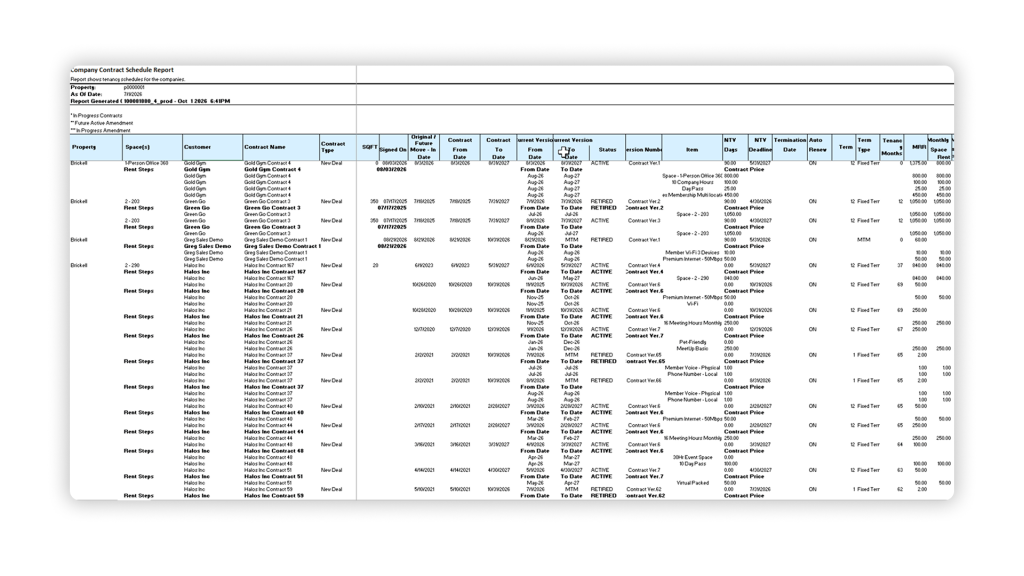
Company Contract Schedule Report
A full rent roll covering contract dates, status, version, terms and tenancy. It also includes a monthly breakdown of rent, custom charges and rate per square foot. Get a complete, month-by-month overview to properly forecast revenue and spot pricing gaps across your properties.
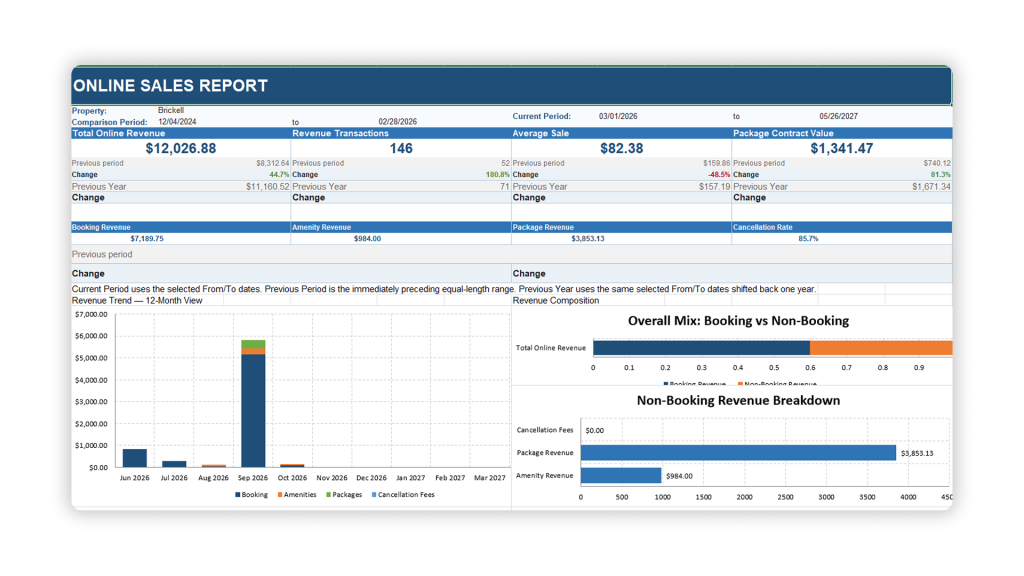
Online Sales Report
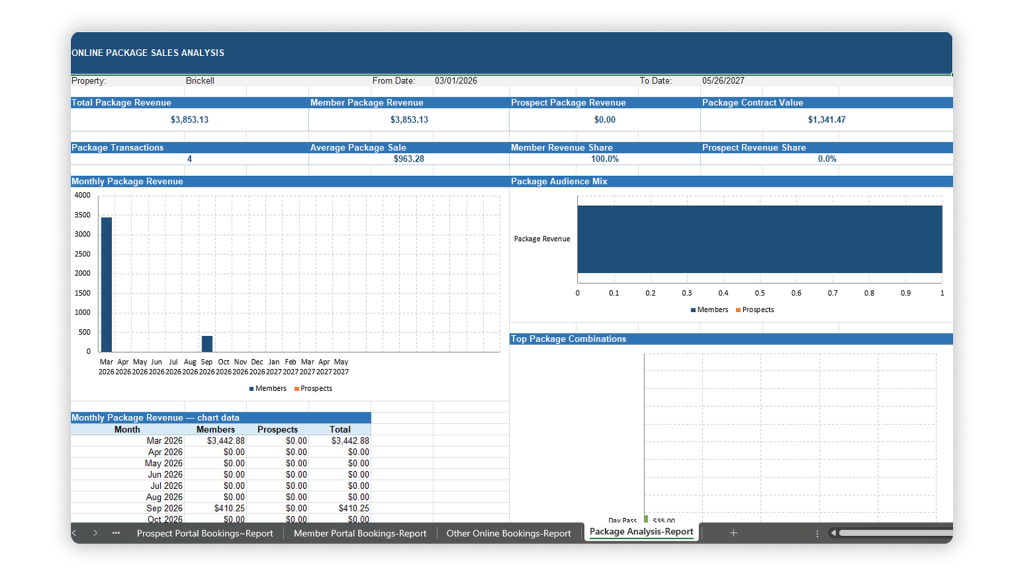
A multi-sheet report on online revenue across Ecommerce, Prospect Portal and Member Portal. It includes bookings, packages and sales analysis. See how much revenue each channel is generating, and how you can improve sales performance across your entire portfolio.
Credit Notes Report
A record of issued credit notes, showing the total, outstanding balance, status and reason code for each. Useful for tracking adjustments and ensuring billing accuracy.
Custom User Fields
A two-sheet report showing custom fields for companies and users. Useful for auditing and exporting the custom data captured across your property.
New Contracts
Tracks each new contract by type, initial request, total monthly recurring revenue, start, end and termination dates, and submitter. Monitor new, incoming business with a clear view on recurring contracts and upselling.
Access Control Log
Export and analyze door access activity. The report tracks attempts, outcomes and the means of access across your properties. Strengthen property security, and understand how your occupants are accessing your buildings.
Availability Report
Track property and space vacancy across your portfolio. See which spaces and dedicated desks are vacant, under offer or due to expire across your properties.
Launch date and access
Report Pack 3 goes live October 29 and is available to all operators. Owners decide which additional internal user roles can view each report.
To manage access, open your portal and go to System Settings → Security → YSR Reports. There, owners can choose which reports are visible and which internal users can open each one.
We’ve been hard at work bringing you these new reporting capabilities, but we’re always finding new ways to enhance the Yardi Kube user experience. If you want to learn more about how to get the most out of this Report Pack, reach out to the Yardi Kube team for a demo.

Melody Mechanic
Melody manages emerging markets marketing for Yardi's commercial real estate business, driving product marketing and campaign strategy across the technology suite. Outside of work, she's a regular at coworking spaces herself and loves baking elaborate Halloween-themed cakes.